مراجعة عملي ICT أولى إعدادي الترم الأول 2026
ينشر «شبابيك» مراجعة على مقرر العملي في مادة تكنولوجيا المعلومات والاتصالات باللغة الإنجليزية ICT، لطلاب الصف الأول الإعدادي لغات بالفصل الدراسي الأول للعام الدراسي 2025 2026.
يحرص الكثير من طلاب وطالبات الصف الأول الإعدادي لغات للإطلاع على مذكرات ومراجعات قبل خوض الاختبار العملي، والذي يضاف درجاته إلى المجموع الكلي للمواد.
ويهتم العديد من معلمي مادة ict بإعداد مذكرات مراجعة ونماذج اختبارات تساعد الطلاب على معرفة النقاط التي يجب استذكارها جيدا قبل امتحانات العملي وشكل الأسئلة.
مراجعة ict عملي الصف الأول الإعدادي لغات ترم أول 2025 2026
وقد اشتملت المراجعة على العديد من الأنشطة العملية والأسئلة المتوقعة باختبار العملي في مادة تكنولوجيا المعلومات والاتصالات لغات ICT لطلاب الصف الأول الإعدادي في الترم الأول، منها التالي:
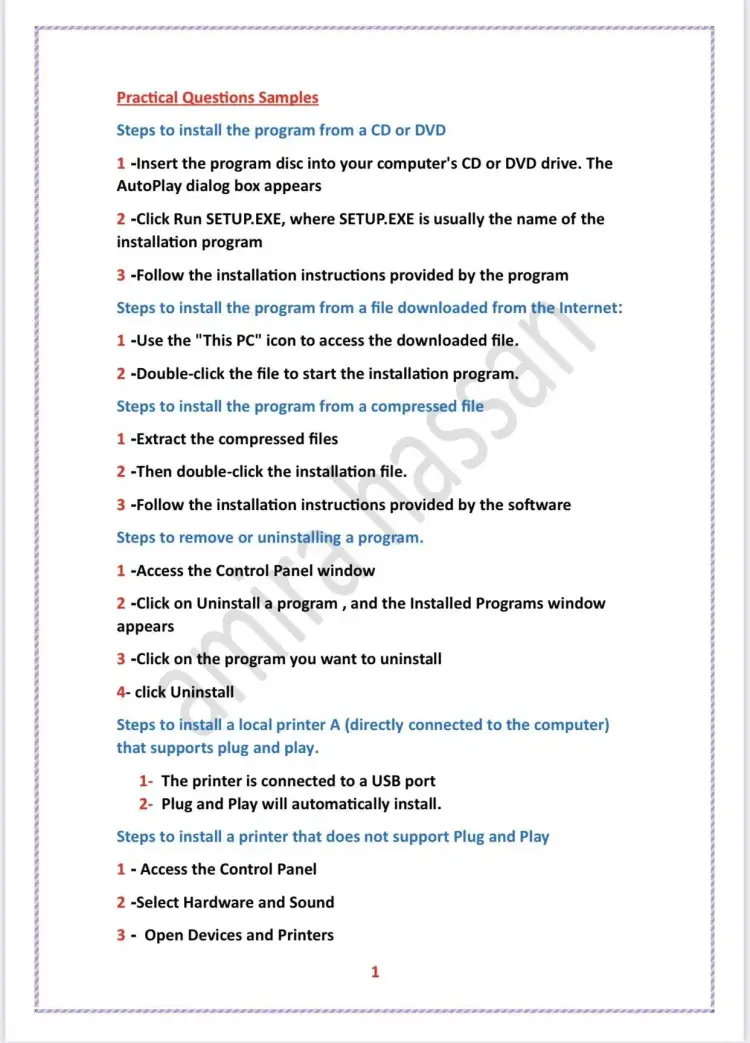
السؤال: Steps to remove or uninstalling a program.
الإجابة:
-
Access the Control Panel window.
-
Click on Uninstall a program, and the Installed Programs window appears.
-
Click on the program you want to uninstall.
-
Click Uninstall.
السؤال: Steps to install a local printer A (directly connected to the computer) that supports plug and play.
الإجابة:
-
The printer is connected to a USB port.
-
Plug and Play will automatically install.
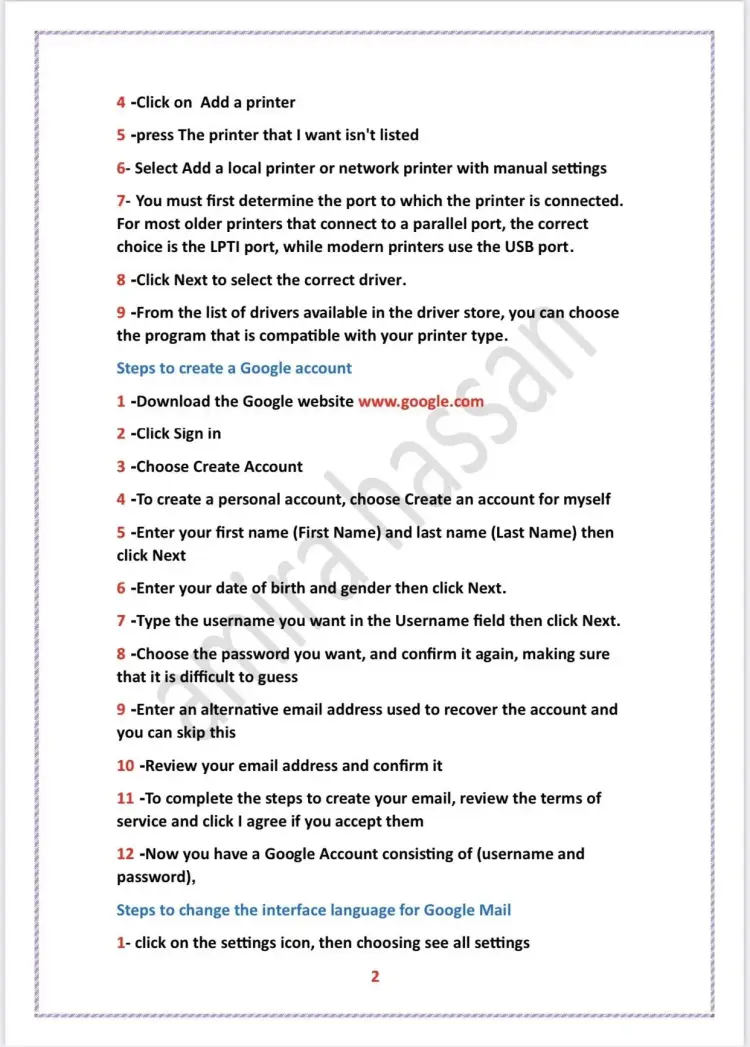
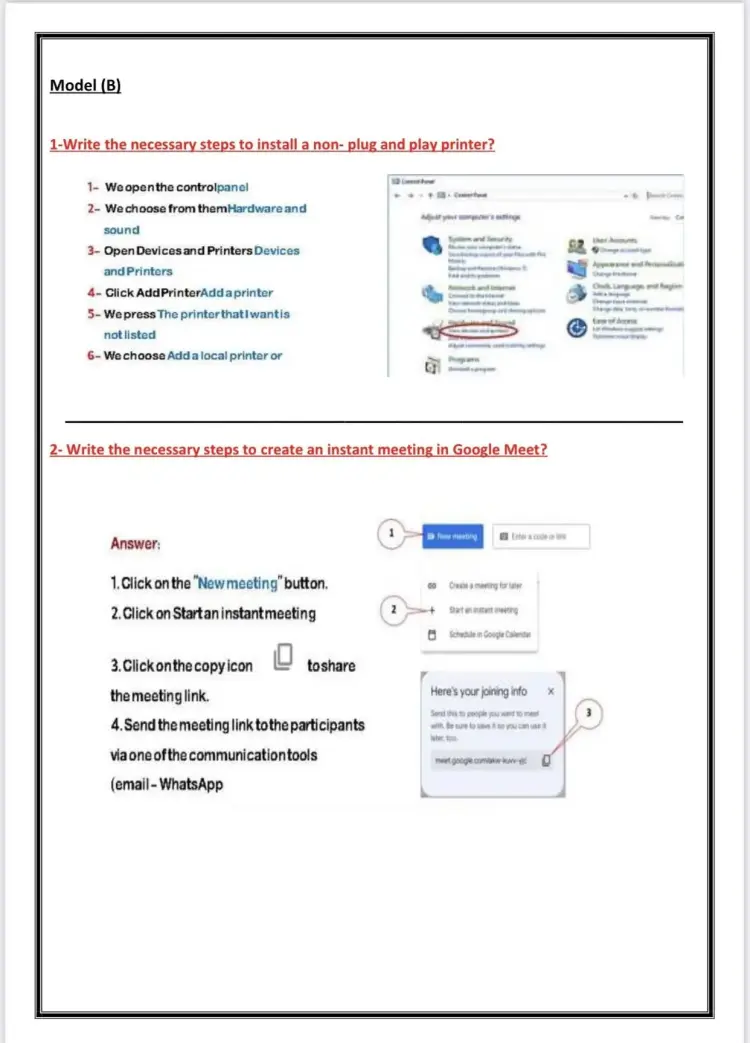
السؤال: Steps to install a printer that does not support Plug and Play
الإجابة:
-
Access the Control Panel.
-
Select Hardware and Sound.
-
Open Devices and Printers.
-
Click on Add a printer.
-
Press The printer that I want isn't listed.
-
Select Add a local printer or network printer with manual settings.
-
You must first determine the port to which the printer is connected. For most older printers that connect to a parallel port, the correct choice is the LPT1 port, while modern printers use the USB port.
-
Click Next to select the correct driver.
-
From the list of drivers available in the driver store, you can choose the program that is compatible with your printer type.
مراجعة عملي ICT تانية إعدادي الترم الأول 2026
السؤال: Steps to create a Google account
الإجابة:
-
Download the Google website www.google.com.
-
Click Sign in.
-
Choose Create Account.
-
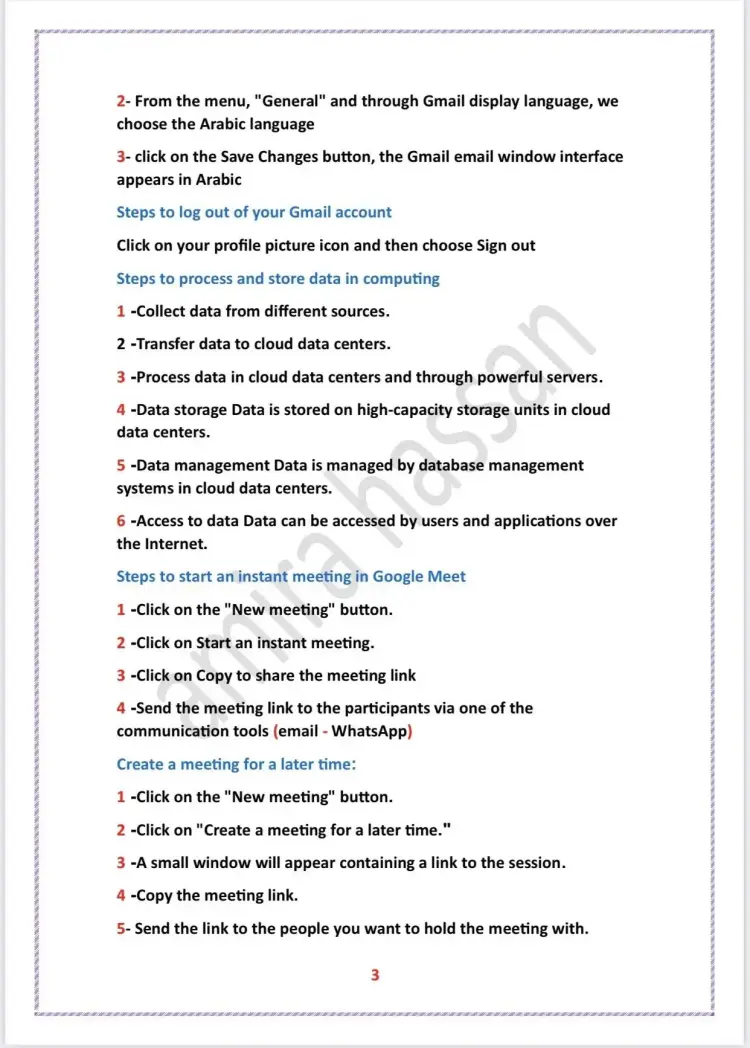
To create a personal account, choose Create an account for myself.
-
Enter your first name (First Name) and last name (Last Name) then click Next.
-
Enter your date of birth and gender then click Next.
-
Type the username you want in the Username field then click Next.
-
Choose the password you want, and confirm it again, making sure that it is difficult to guess.
-
Enter an alternative email address used to recover the account and you can skip this.
-
Review your email address and confirm it.
-
To complete the steps to create your email, review the terms of service and click I agree if you accept them.
-
Now you have a Google Account consisting of (username and password).